Procreate Magic Watercolour Brushes: Unlock Artistic Realism
There is a distinct tactile quality to watercolour that digital art often struggles to replicate. The unpredictable bleed of pigment into wet paper, the granulation of the colour, and the organic texture of the brush strokes create a visual language that feels inherently human. For digital artists, designers, and crafters using the iPad, achieving this specific aesthetic has historically required complex layering and masking. However, with the right design assets, the gap between traditional media and the digital canvas narrows significantly. The Procreate Magic Watercolour Brushes are engineered to bridge that divide, offering a toolkit that mimics the behaviour of real watercolour paint without the mess or the drying time.
The Anatomy of a Realistic Watercolour Brush
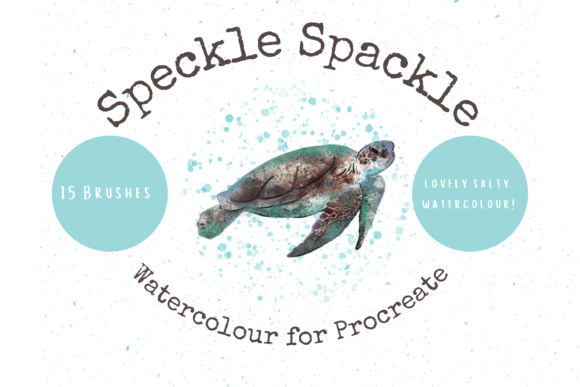
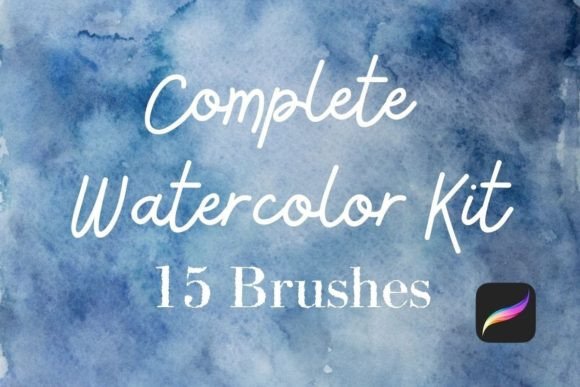
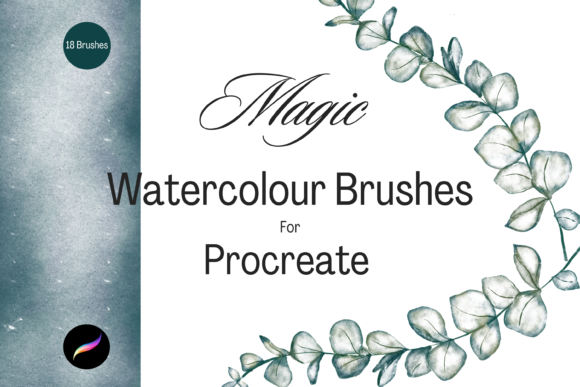
What separates a standard digital brush from a premium font or brush set is the attention to texture and dynamics. The Procreate Magic Watercolour Brushes are not simply static stamps; they are complex tools designed to react to the pressure and tilt of your Apple Pencil. This pack contains 18 unique individual brushes, each crafted to handle a specific aspect of the watercolour process. You will find brushes that simulate the initial wash, which spreads pigment with a soft, diffused edge, alongside others that create the textured, "scrubby" marks characteristic of dry brush techniques.
The visual personality of these brushes is defined by their multi-tonal nature. Unlike flat vector shapes, these brushes carry depth. They mimic the way pigment settles into the valleys of paper texture. This characteristic is vital for creating brand identity elements that feel authentic. When a small business owner or a blogger uses these textures for their social media graphics, it adds a layer of warmth and craftsmanship that sterile, flat colours cannot achieve. It transforms a simple digital file into something that looks handmade, which is a powerful psychological trigger for engagement.
Practical Applications: From Screen to Print
One of the strongest arguments for incorporating the Procreate Magic Watercolour Brushes into your workflow is their versatility across different media. These are not just for digital illustration; they are robust design assets for physical products.
For the entrepreneur or small business owner, the utility is immediate. Consider packaging design for artisanal goods. A tea company, a candle maker, or a florist needs branding that reflects the organic nature of their products. Using these brushes to create background washes or botanical illustrations ensures the brand identity feels cohesive and premium. Furthermore, for those utilizing print-on-demand services, these brushes allow you to create unique wall art and greetings cards that stand out in a crowded marketplace. The files are high-resolution enough to scale for wrapping paper patterns or scrapbooking elements without losing the delicate texture that makes watercolour appealing.
Digital applications are equally robust. Content creators and marketers often struggle to maintain a consistent aesthetic across platforms. These brushes allow you to create custom elements for web design headers, email newsletter graphics, and Instagram stories. Because the brushes are fully resizable and recolourable, you can adapt them to fit any modern typography layout. Imagine a display font paired with a soft watercolour wash behind it for a wedding invitation design or a blog post feature image. The contrast between the sharp, structured letterforms and the fluid brushwork creates a dynamic visual hierarchy.
Integrating Texture into Your Design Strategy
When working with texture-heavy assets like the Procreate Magic Watercolour Brushes, the approach to design must shift slightly. In editorial design or web design, legibility is paramount. A common mistake is overusing textured backgrounds, which can clash with body copy, particularly serif fonts or delicate sans serif fonts. The key is to use the watercolour elements to frame and support the text, not compete with it.
For instance, if you are designing a logo, you might use a bold, clean typeface for the company name and use a watercolour wash as an accent mark or a background element that bleeds off the edge of the canvas. This maintains the professionalism of the logo design while injecting personality. When testing font pairing, look for contrast. A structured geometric sans serif often pairs beautifully with the organic chaos of watercolour, whereas a highly decorative script font might get lost in the texture.
Technical Setup and Workflow Tips
To get the most out of these creative fonts and brushes, a streamlined workflow is essential. Since these are native Procreate files, the installation process is designed to be seamless. You will need an iPad Pro and an Apple Pencil to utilize the pressure sensitivity features fully. Once you download the files to a platform like iCloud, you can use a program like iZip to decompress the package. Importing them into Procreate is as simple as tapping the file, which will automatically populate a new folder in your brush library.
A practical tip for maintaining consistency in your projects is to establish a "library" of strokes. Before starting a final piece, spend time on a separate canvas experimenting with the 18 different brushes. Note how much pressure creates a light wash versus a saturated stroke. This practice ensures that when you apply the brushes to a client project or your own print on demand goods, the application is intentional. Because these brushes are digital, they offer a "forgiveness" that traditional watercolour does not. You can undo a stroke, resize it, or change its colour instantly, allowing for rapid prototyping of ideas.
Elevating Your Creative Output
Ultimately, the goal of any design asset is to solve a creative problem. The Procreate Magic Watercolour Brushes solve the problem of how to create organic, hand-drawn aesthetics efficiently. For the hobbyist, they offer a way to explore watercolour painting without the setup and cleanup time. For the professional designer, they provide a reliable set of tools for creating bespoke textures that elevate client work.
Whether you are creating a custom font header for a magazine, designing a series of art prints, or simply adding a personal touch to your digital notes, these brushes deliver consistent, high-quality results. They bridge the gap between the traditional artist’s studio and the digital workspace, proving that with the right tools, the iPad is a legitimate medium for fine art and commercial design alike.