Elevate Your Digital Art with Procreate Glitter Brushes
Why Texture and Color Are Your Best Friends in Digital Art
Let's be honest: flat, digital art can sometimes feel a little... lifeless. You've spent hours perfecting a line drawing or a character design, but the final piece lacks that spark, that tactile quality that makes traditional art so captivating. This is where the magic of texture comes in. Adding a sense of physical material—like the sparkle of glitter, the grain of paper, or the sheen of metallic paint—can instantly transform a good design into a great one. It creates visual interest, adds depth, and connects with the viewer on a more sensory level. For designers, marketers, and creators, this isn't just about aesthetics; it's about creating work that stands out in a crowded digital space.
When you're working in Procreate, the right set of brushes is your most valuable design asset. It's not just about having a tool that makes a mark; it's about having a tool that understands the nuance of the effect you're trying to achieve. A well-crafted brush responds to the pressure and tilt of your Apple Pencil, creating a natural, dynamic effect that a simple stamp or overlay can't match. This is the core idea behind a quality Procreate Glitter Brushes set. It's designed to simulate the actual behavior of glitter—how it catches light, clusters in certain areas, and disperses in others.
Unlocking the Full Potential of Your Glitter Toolkit
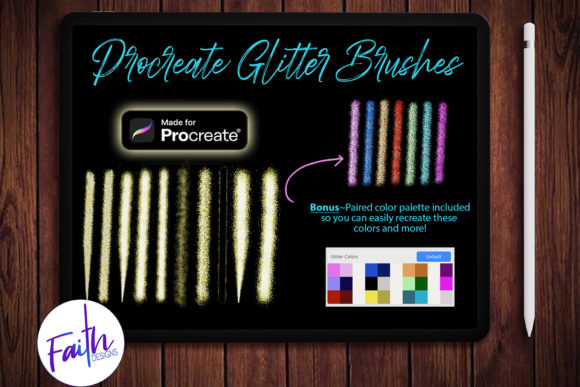
This particular Procreate Glitter Brushes, Color Palette bundle was created with this philosophy in mind. It’s not just a random collection of sparkle effects. The set contains 7 unique glitter brushes, each with a distinct personality. You’ll find everything from fine, delicate sparkles perfect for adding a subtle shimmer to lettering, to dense, chunky glitter that makes a bold, textured statement. But the real versatility comes from the 3 additional brushes with a tapered tip. These are game-changers for creating elegant, flowing glitter trails, intricate details, or for adding a touch of glamour to calligraphic script fonts. They give you control, allowing the glitter effect to feel integrated into your artwork, not just pasted on top.
Here’s the practical insight that makes this bundle particularly useful: color is everything. A glitter brush stroke's final look is dramatically influenced by your color choices. Using a single, flat color often results in a one-dimensional effect. The real magic happens with color combinations—layering highlights, mid-tones, and shadows to mimic how real glitter reflects light. This is where many artists get stuck, spending valuable time experimenting with palettes instead of creating.
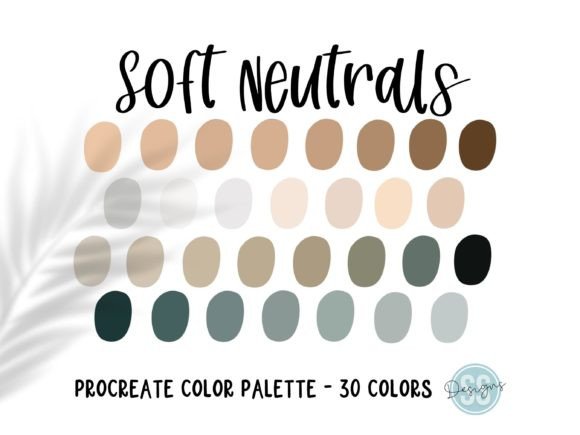
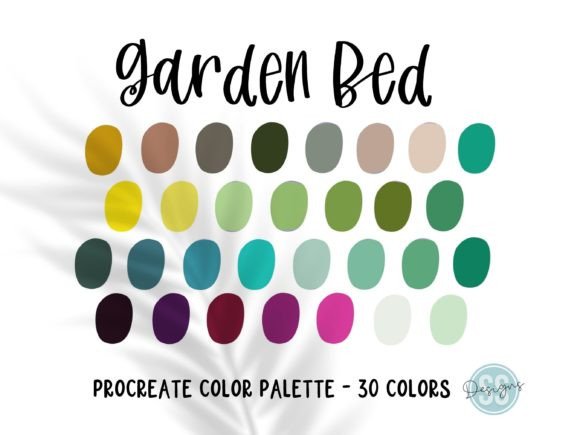
That’s exactly why the included Bonus Color Palette is so valuable. It’s a curated collection of pre-paired color combinations specifically designed to work with these brushes. Instead of guessing, you can select a palette and immediately see a beautiful, multi-tonal glitter effect. This isn't just a time-saver; it's a workflow accelerator. It allows you to focus on your composition and design, knowing the color theory is already handled for you. It’s a practical tool that speeds up your process and ensures professional-looking results every time.
Real-World Applications for Creators and Brands
So, where does a tool like this actually fit into your projects? The applications are broader than you might think. For logo design and brand identity, a touch of glitter can be used to create a premium, celebratory, or luxurious feel. Imagine a cosmetics brand, a party supply company, or a boutique bakery using a glitter accent in their branding to convey a sense of occasion and quality. It’s a subtle way to shape brand perception and create brand recognition.
In editorial design and packaging design, these brushes can add a stunning tactile quality to magazine covers, book jackets, or product labels. A headline set with a glitter brush immediately draws the eye and sets a specific mood. For social media graphics, they are perfect for creating eye-catching Instagram stories, promotional banners, or celebratory posts that stop the scroll. The texture adds a layer of professionalism and visual hierarchy that plain text and shapes can't achieve.
Even for personal projects, the value is clear. If you’re a crafter designing digital invitations, a hobbyist creating custom stickers, or a blogger designing unique Pinterest pins, the Procreate Glitter Brushes, Color Palette gives you a quick way to add a high-end, custom feel to your work. The key is to use it with intention. Think about readability—glitter is best used as an accent, not for large blocks of body text. Use it for headlines, borders, icons, or small illustrative elements where it can enhance, not overwhelm.
Making the Most of Your Creative Font and Design Assets
When integrating glitter effects into a larger design, think about font pairing and visual balance. A bold, modern sans serif font can provide a clean, strong foundation that allows a glittery script or handwritten font accent to really pop. Conversely, a delicate serif font can be beautifully complemented by a fine, shimmering glitter underline. The goal is visual hierarchy—using the glitter to guide the viewer's eye to the most important information.
Always test your brushes at the scale you intend to use them. A brush that looks great zoomed in might appear too noisy or sparse when viewed as part of a full social media post. Take advantage of the tapered brushes for finer work and the denser brushes for larger areas. And don't be afraid to layer. You can use one glitter brush as a base and another with a different texture or color on top to create a more complex, realistic effect.
Ultimately, tools like the Procreate Glitter Brushes, Color Palette are about expanding your creative vocabulary. They provide a specific, high-quality effect that can be adapted to countless projects, helping you communicate mood, quality, and style more effectively. By understanding the practical strengths of the brushes and leveraging the pre-made color palettes, you can work faster, achieve more consistent results, and add that sought-after touch of magic to your digital art and design projects. It’s about having the right design assets at your fingertips to bring your vision to life with both efficiency and flair.